Browse by collection
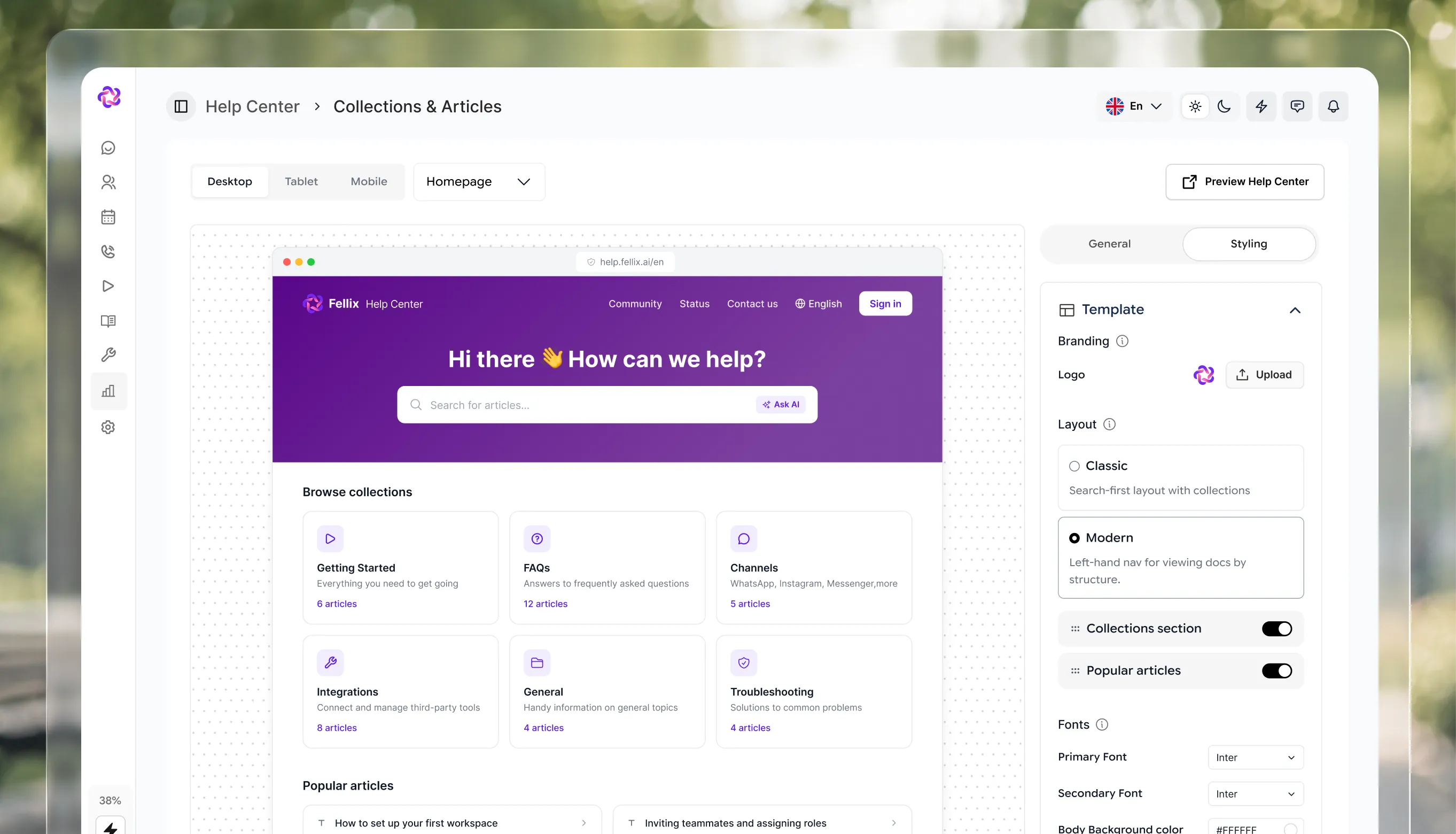
Group articles into collections such as Getting started or Billing, so customers reach the right guide in a click.



 Front DeskThe agentic inbox that greets, qualifies, and escalates.
 AgentsContact records built from the conversation itself.
 AI CopilotAn AI assistant beside your team across the platform.
 AI AnalysisEvery conversation read for you, beside the thread.
 LivechatWhere your agents take over and close the conversation.
 AppointmentsBooking that happens inside the chat, from your calendar.
 Help CenterWhere your customers and your agent find all the answers they need
 Meta Ads & CampaignsAd-driven leads in, WhatsApp campaigns out.
 PipelineContact records built from the conversation itself.
 AnalyticsConversations, campaign attribution, and pipeline health.
 Team ManagementTeams that own channels, with roles per member.
 Retail & TechnologyAnswer the question that decides the sale.
 EducationEvery admissions question, answered instantly.
 Travel & hospitalityAvailability and check-in, at every hour.
 ClinicsTurn ad clicks into tracked, qualified leads.
 HealthcareSessions, tests and home visits, booked in the chat.
 Real EstateSee how Fellix is tuned to your industry.
 MCP serverWork in Fellix from Claude, ChatGPT or Cursor.
 BlogPractical thinking on AI customer conversations.
 CompanyWho we are and why we built Fellix.
 BrandLogos, colour, and type for press and partners.
 TermsThe agreement that governs your use of Fellix.
 SupportChat with the team, email us, or get help with billing.
Publish a branded Help Center in minutes. Customers search, read and chat in one place, so your team can focus on the conversations that need a person.
No code needed. Publish when you're ready.
What it does
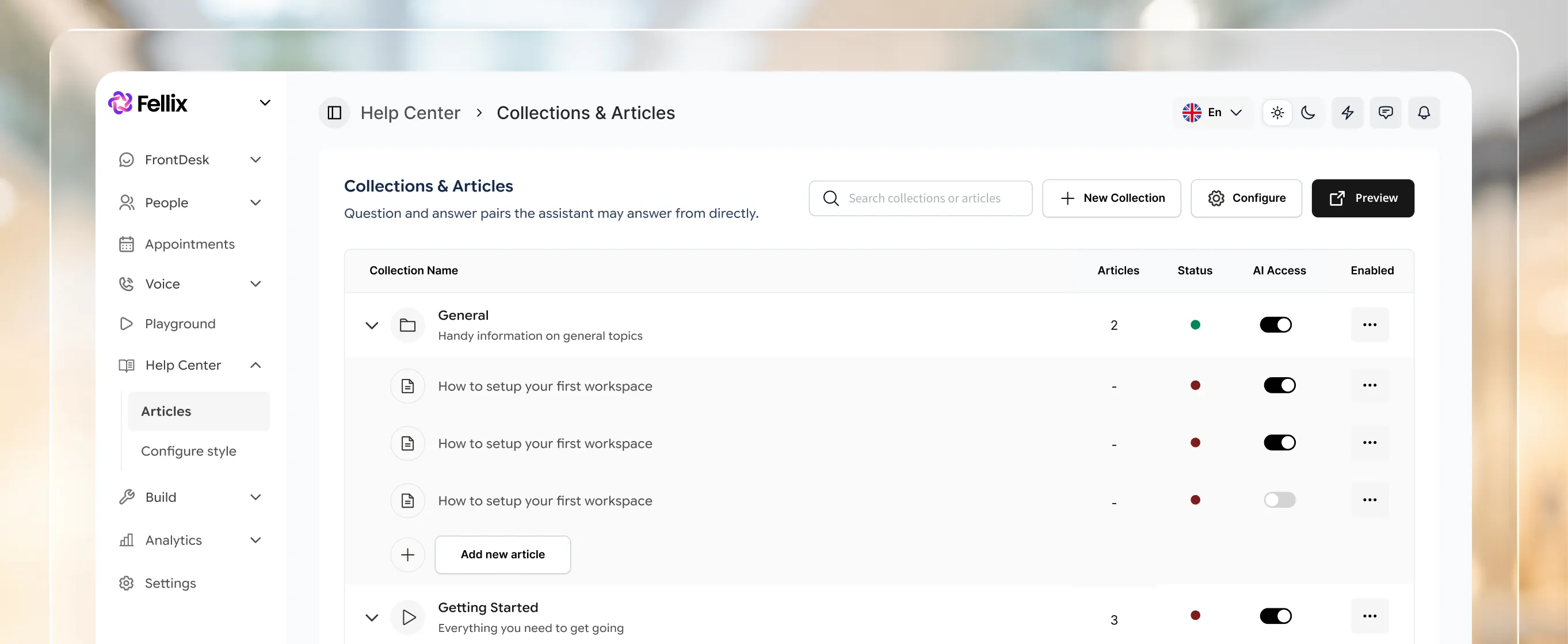
Organise articles into collections, publish in more than one language, and let customers start a chat when an answer isn't enough.
Group articles into collections such as Getting started or Billing, so customers reach the right guide in a click.
A search bar sits front and centre, so customers reach the article they need without opening a ticket.
Offer each article in more than one language, with a language switcher built into the Help Center.
In the product
Pick a look, set your address and preview on desktop, tablet and mobile before you publish. Edit anytime from the dashboard.
Run it on help.yourcompany.com or a path on your own site, in your own styling.
Customers can start a chat from the Help Center when an article isn't enough.
Sitemap, Google Analytics and search verification built in.
Where it pays off
P / 1
Publish the answer once and every customer can find it, any hour, without waiting for a reply.
P / 2
The Help Center sits beside your inbox, chat and AI agent, so one login covers support, content and settings.
P / 3
Add a language and publish the same collections, article by article, with a switcher for your customers.
Stack comparison
Integrations
Fellix reads and writes to your CRM, storefront, calendar and helpdesk — so every conversation starts with real customer context, and every outcome lands back in the stack your team already works in.





Built to work together