Teams own channels
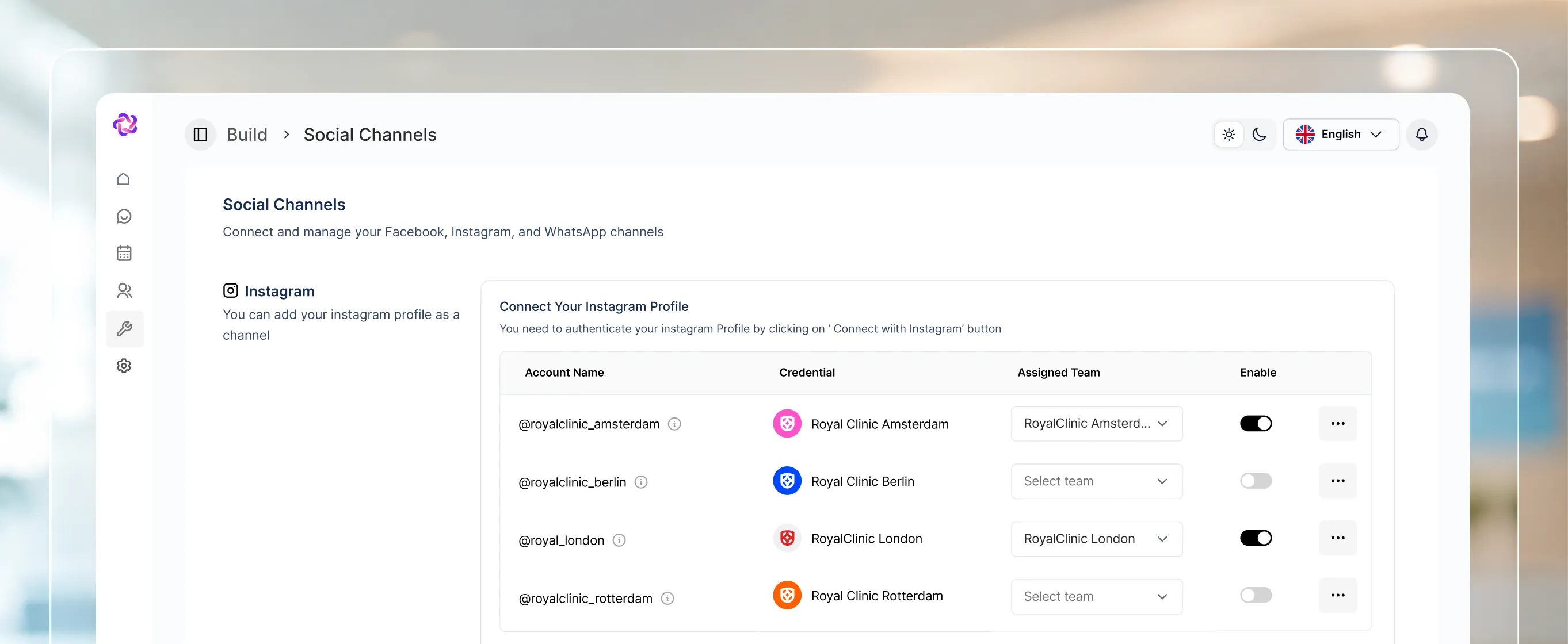
Assign specific WhatsApp numbers, Instagram accounts, Pages, or website chat widgets to the team responsible for them.

Assign teams to channels and numbers, set roles, and keep sensitive knowledge scoped to the people who need it.
Connect your web chat & social account in under 3 minutes.
What it does
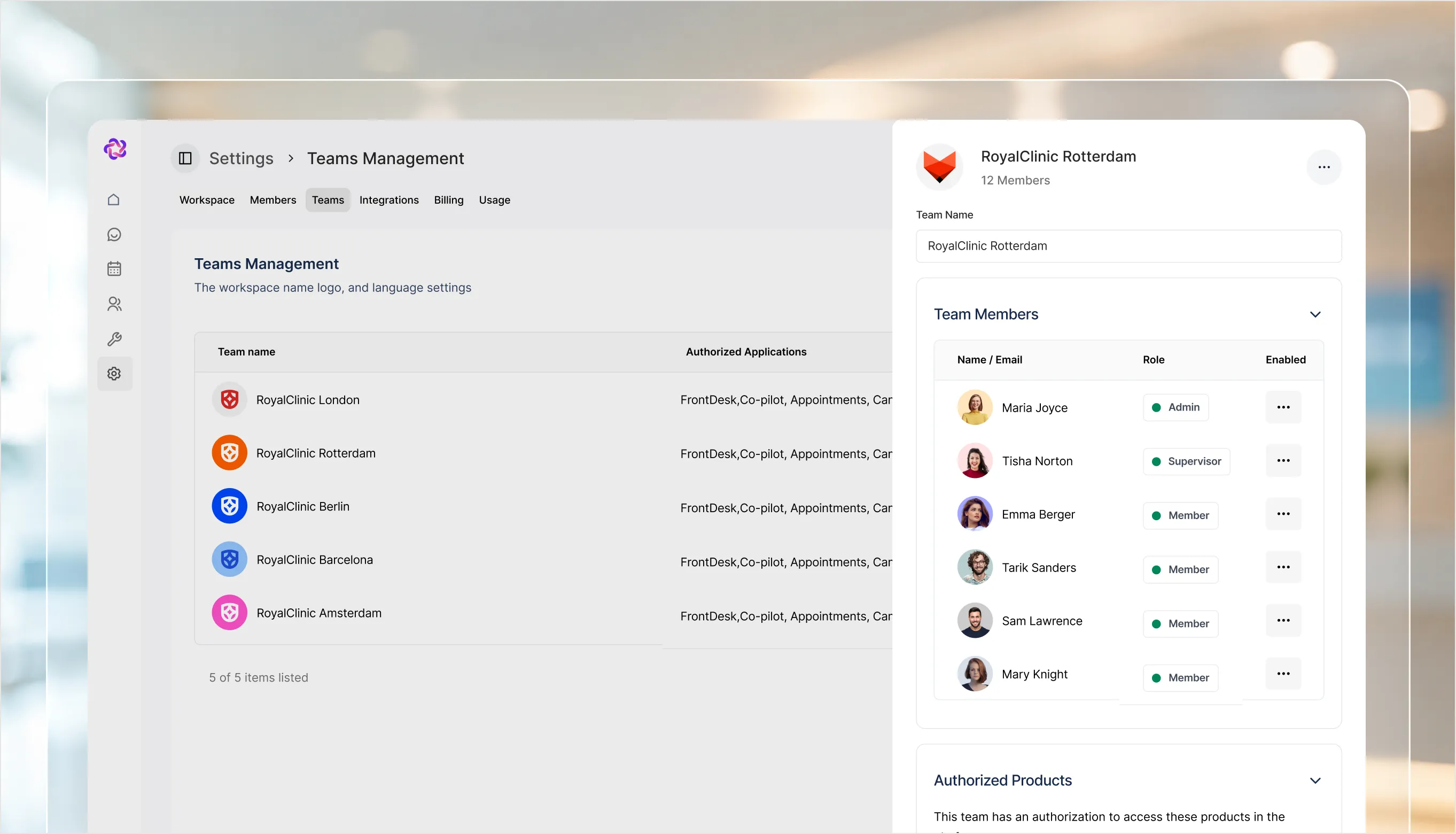
A team holds its authorised applications and the specific channels assigned to it, so routing follows structure rather than habit.
Assign specific WhatsApp numbers, Instagram accounts, Pages, or website chat widgets to the team responsible for them.
Each team is granted the parts of Fellix it needs, so access follows the job rather than being all or nothing.
People are Administrators or Team Members, sit in a named team, and carry an active status you can see at a glance.
Built into Team Management
Teams lists every team with its applications, its assigned channels, and its member count. Members lists every person with their role, status, and team.
Assign a team to a WhatsApp number, an Instagram account, or a website chat, so conversations reach the right people.
Team name, authorised applications, assigned channels, and member count, searchable as the organisation grows.
Every person with their role, their team, and whether their account is active.
Where it pays off
Routing
Channels are assigned to teams, which makes responsibility for a conversation unambiguous from the moment it arrives.
Multi-brand
Each team can carry its own channels and knowledge scope, so one brand’s answers never leak into another’s.
Access
The members table shows role, team, and active status together, so access reviews take a glance rather than an audit.
Stack comparison
Integrations
Fellix reads and writes to your CRM, storefront, calendar and helpdesk — so every conversation starts with real customer context, and every outcome lands back in the stack your team already works in.


Built to work together